Material 3 Expressive UI
A modern Android interface with rounded controls, clear settings, and screens built for one-handed reading.
 DropSauce
Free and open-source Android manga reader
A lightweight reader for keeping your manga library organized and comfortable to use. Add your own sources, read offline, track progress, and sync only when you choose.
Why use it
DropSauce keeps reading fast, keeps your library organized, and gives you control over sources, downloads, backups, sync, and reader behavior.
A modern Android interface with rounded controls, clear settings, and screens built for one-handed reading.
Download chapters when a source supports it and keep reading without depending on a connection.
Adjust reading mode, scale behavior, navigation, storage, source settings, and appearance.
Favorites, categories, bookmarks, history, tracking, stats, backups, widgets, and optional Drive sync.
How it works
DropSauce is for people who want a clean Android manga reader, not a service. You add the sources you use, choose how the reader behaves, and decide whether your data stays local or syncs through your own Google Drive.
Add source or extension repositories you trust.
Save manga into favorites and categories.
Read online or download chapters for later.
Back up locally or sync your library with Google Drive.
App tour
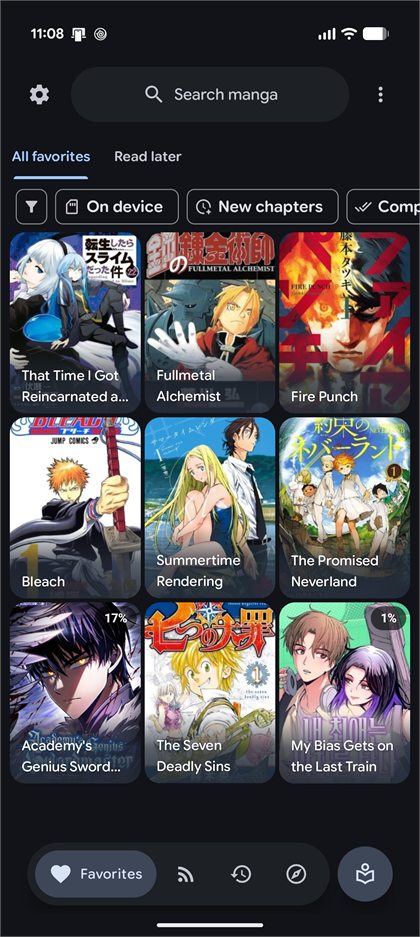
Favorites, read-later lists, history, bookmarks, reading progress, and stats are part of the main library flow.
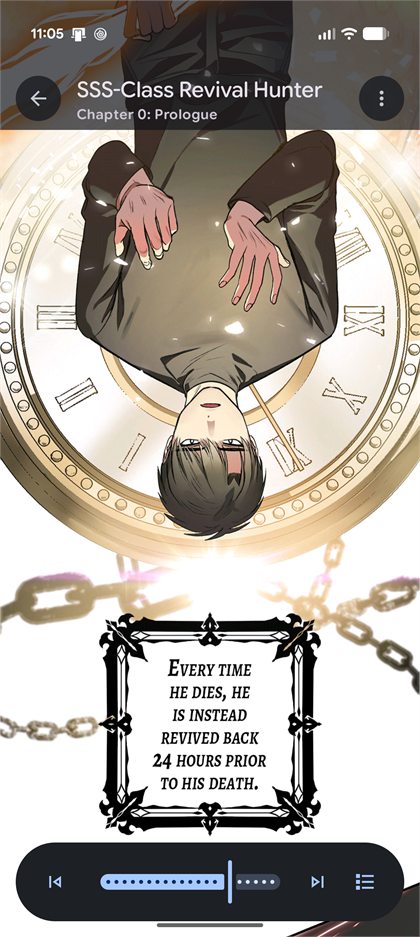
Use gestures, progress controls, scale options, and reading modes that match the way a chapter is laid out.
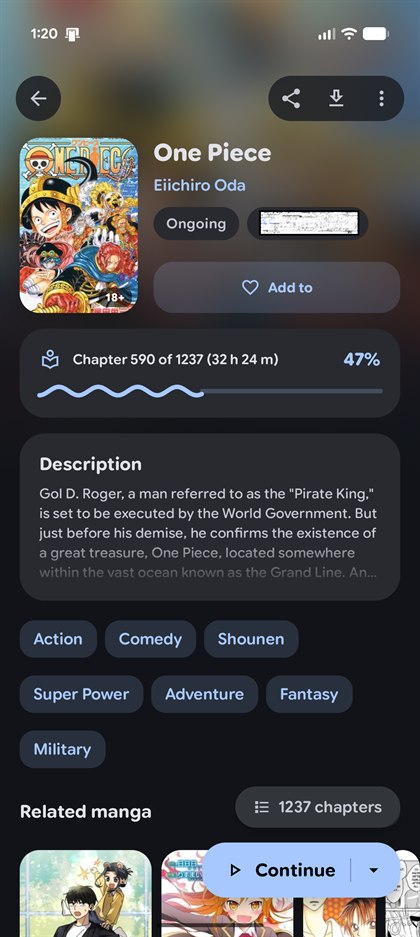
The details screen can be compact or centered, with progress, chapters, tags, description, and the next read action kept together.
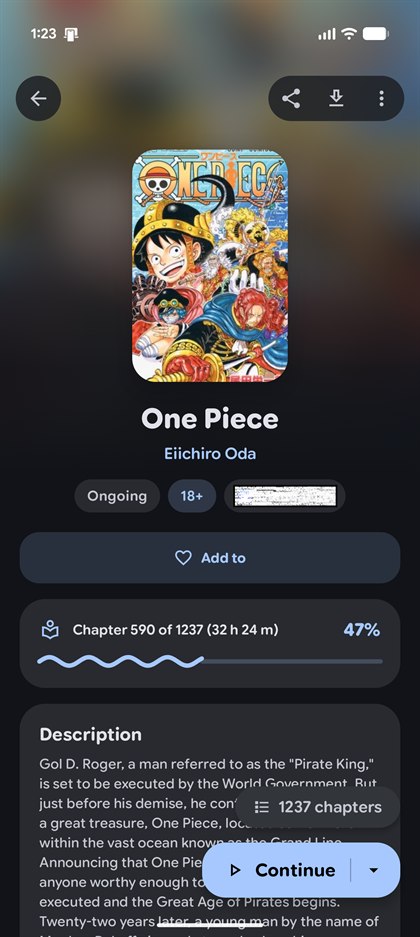
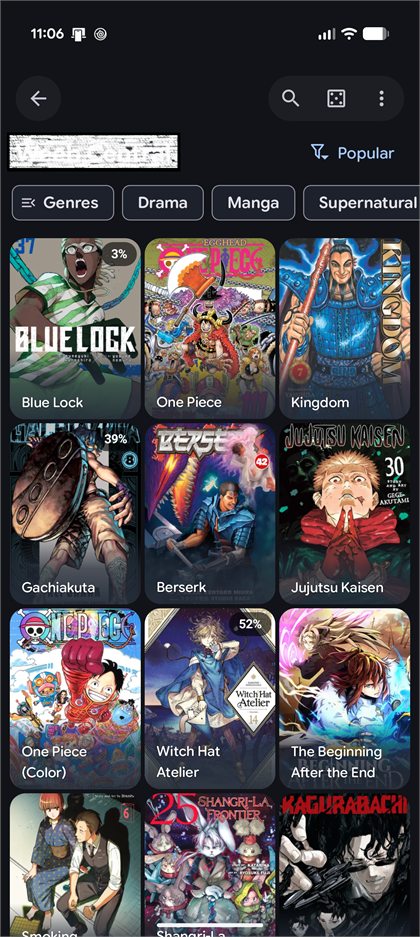
DropSauce does not include manga. You choose source and extension repositories, then manage them in the app.
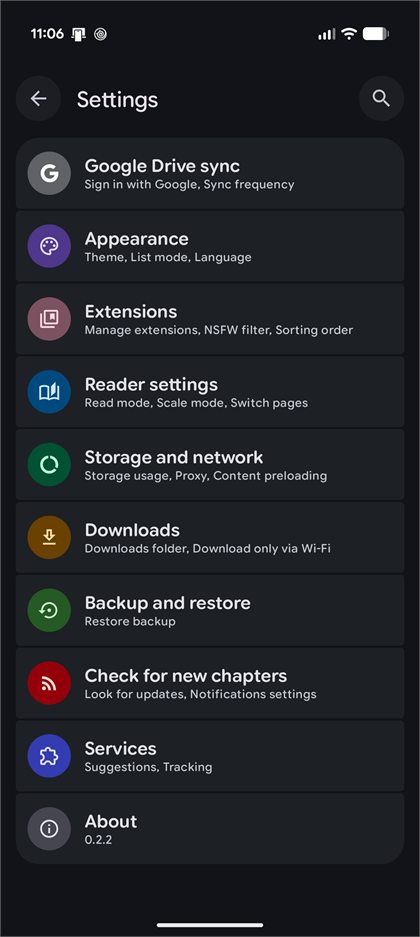
Google Drive sync is optional. Local backups, PDF import, reader settings, storage controls, app lock, widgets, and updates are in settings.
Feature map
Configurable reader behavior, clean controls, progress tracking, and offline downloads when a source supports them.
Favorites, categories, bookmarks, history, reading statistics, and per-chapter progress.
Manage external source repositories from inside the app, including sorting and source-specific settings.
Optional Google Drive sync for library data, history, bookmarks, tracking, stats, settings, and covers.
Create local backups, restore DropSauce data, and import compatible backups from the wider manga reader ecosystem.
Convert PDF files into readable CBZ chapters when importing folders of local manga files.
Protect the app with biometric or device credential support when you want another layer on your library.
Home-screen widgets for continue reading, favorites, and reading stats keep common actions nearby.
Update from inside the app, or install release APKs directly from GitHub Releases.
Sources
The app itself does not host, distribute, or bundle manga. It is a reader and library manager for sources you choose to add.
Read the termsInstall the APK from GitHub Releases.
Add the extension or source repository you trust.
Build a personal library with favorites, categories, and progress.
Back up locally or sync privately through your own Google Drive.
Privacy
DropSauce has no backend server. Without sync, app data remains on your device. When Google Drive sync is enabled, the app reads and writes its own synchronization file in your Drive account so your library can move between devices.
Local data includes favorites, categories, history, bookmarks, tracking, stats, and settings.
The app cannot read or modify arbitrary files in your Google Drive.
You can sign out, delete synced data, revoke access, or uninstall to remove local data.
Open source
DropSauce is GPLv3 software shaped by the open-source Android manga reader community, including ideas and groundwork from Kotatsu and Mihon. Bug fixes, focused patches, and clear UI reports are welcome.
User guide
The guide covers everything — adding sources, reading modes, downloads, backups, Google Drive sync, tracking, app lock, and more.